Why a Portrait MP4 Can Show Empty Space on a Wide Screen
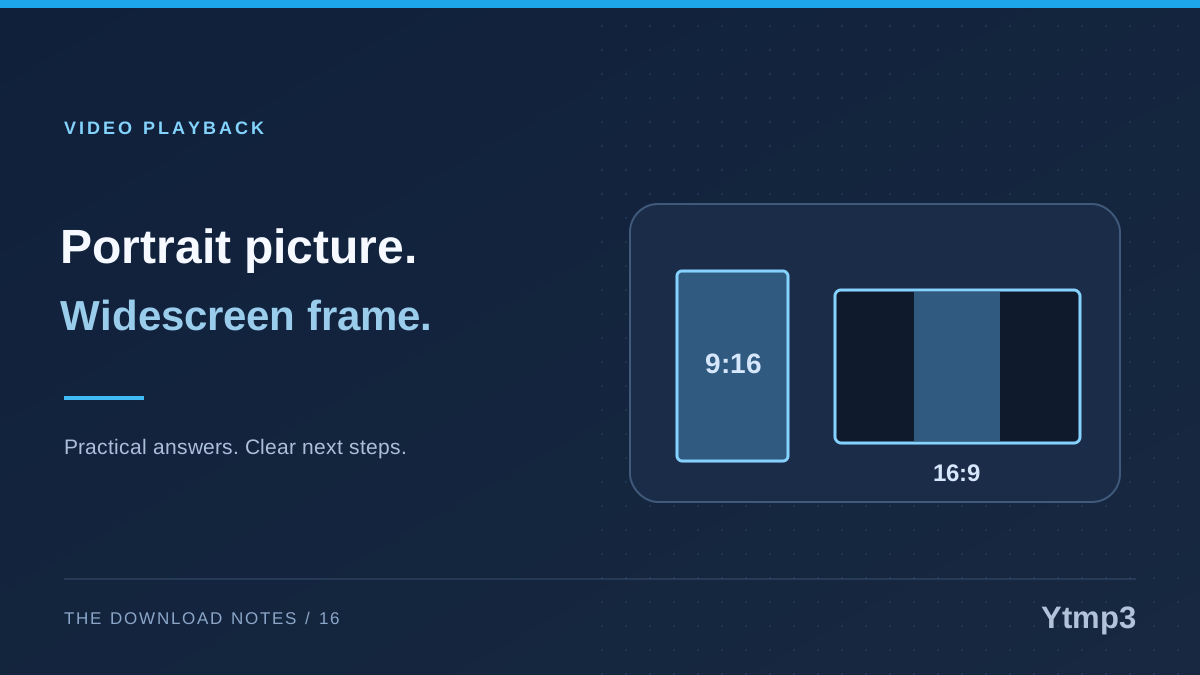
A portrait MP4 and a wide display have different proportions. When a player preserves the complete picture, unused space can remain beside or around it. That space does not automatically mean the download is damaged, and a higher resolution does not remove the underlying difference in shape.
After selecting a video through Ytmp3, compare the saved result with the source before treating borders as a conversion problem. The player, the encoded picture and the screen can each contribute to what you see. Understanding which one is responsible helps you choose a sensible next step.
Compare the picture shape with the display
Aspect ratio describes the relationship between a picture's width and height. A tall recording fits naturally into a portrait space, while a wide recording fits a landscape space. Preserving all of a tall frame inside a wide screen leaves room on the sides.
Imagine a vertical recording of your own guitar practice. The instrument and your hands occupy the tall frame. Stretching that frame to fill a wide monitor would change their proportions. Cropping it to fill the monitor could remove parts of the scene. Leaving space can therefore be the choice that preserves the full image.
Resolution is a different property. A larger portrait image remains portrait-shaped. More pixels do not turn its composition into a widescreen recording or reveal scenery that was never captured.
Distinguish player space from borders inside the video
Sometimes the empty area belongs to the player around the displayed picture. In other cases, dark borders were already included in the encoded image. Those situations can look similar, but changing a player's fit setting will not necessarily affect them in the same way.
Compare the source and the saved file using the visible frame. If the source already contains borders inside its picture, the output may simply preserve them. If the surrounding space changes with the player window, the display layout may be contributing to the result.
Treat this as a visual check, not a guarantee based on one screenshot. A player can use different background colors or fit modes, and the same recording may look different when the window is resized. The important question is whether the actual picture is complete and correctly proportioned.
Understand the trade-off between fit, crop and stretch
A fit option aims to show the complete image within the available area. A fill or crop option may cover more of the screen by hiding edges. A stretch option can change proportions. Not every player offers these choices, and their labels can differ.
For a demonstration, seeing the whole frame may matter more than filling every pixel of the display. For a casual preview, you may prefer another fit mode. Make that decision consciously and check that important content is not lost at the edges.
The YouTube to MP4 page provides a video-focused route to available outputs. Do not assume that choosing MP4 also provides cropping, reframing or upscaling. Those are separate processing features and should not be inferred from the format name.
Check the source before requesting another copy
If the saved video looks unexpected, first confirm that it is the intended recording. A repost or edited version may already have a different composition. Downloading that version again will not restore the original frame you had in mind.
For a useful comparison, inspect a moment with recognizable details near the edges. Are the same objects visible? Does the picture look stretched? Is the empty area surrounding the frame, or visibly part of the source itself? These observations are more informative than simply reporting that the video has black bars.
- Confirm the selected source and version.
- Compare a recognizable frame with the source.
- Check whether the image proportions look correct.
- Review available player fit settings.
- Avoid expecting a resolution change to create a different composition.
Check playback beyond the picture
A visually complete frame is only one part of a usable video copy. Confirm the expected sound and that playback continues normally. If the picture is present but the sound is missing, investigate that as a separate issue rather than blaming the frame shape.
The article on an MP4 with picture but no sound outlines that distinction. The MP4 label describes a container, not a guarantee that every file has the same streams or playback requirements.
Does empty space mean the download is broken?
Not necessarily. It may be the normal result of fitting a portrait picture into a wider display while retaining the entire frame.
Can a higher resolution remove the side space?
Not simply by adding pixels. The image's proportions and the player's layout still matter. Cropping or stretching changes presentation and may sacrifice content or shape.
Keep the goal clear: a complete, correctly proportioned recording that plays as intended. A filled screen is not always a more faithful result than a picture with space around it.